What is a Local AI Research Gateway?
Building a local research stack gives you total privacy by keeping your data and LLM execution entirely on your hardware. By combining Ollama with Open WebUI and SearXNG, you can create a localized version of modern chat interfaces capable of real-time web search.
Key Components:
- Ollama: The backend engine handling model execution locally.
- Open WebUI: The interface for chat and agent orchestration.
- SearXNG: A self-hosted metasearch engine that feeds real-time web data directly to the LLM.
How to get started:
- Host Ollama: Run Ollama natively on your Ubuntu host to maximize GPU access for your local models (like
gemma2:2b). - Deploy via Docker: Use a
docker-compose.ymlto spin up Open WebUI and SearXNG containers. - Bridge the Connection: In Open WebUI, navigate to Admin Panel > Settings > Web Search and set the Query URL to
http://host.docker.internal:8080/search?q=<query>. - Configure Search: Set the “Search Result Count” to 3 to ensure memory usage stays within the limits of constrained hardware.
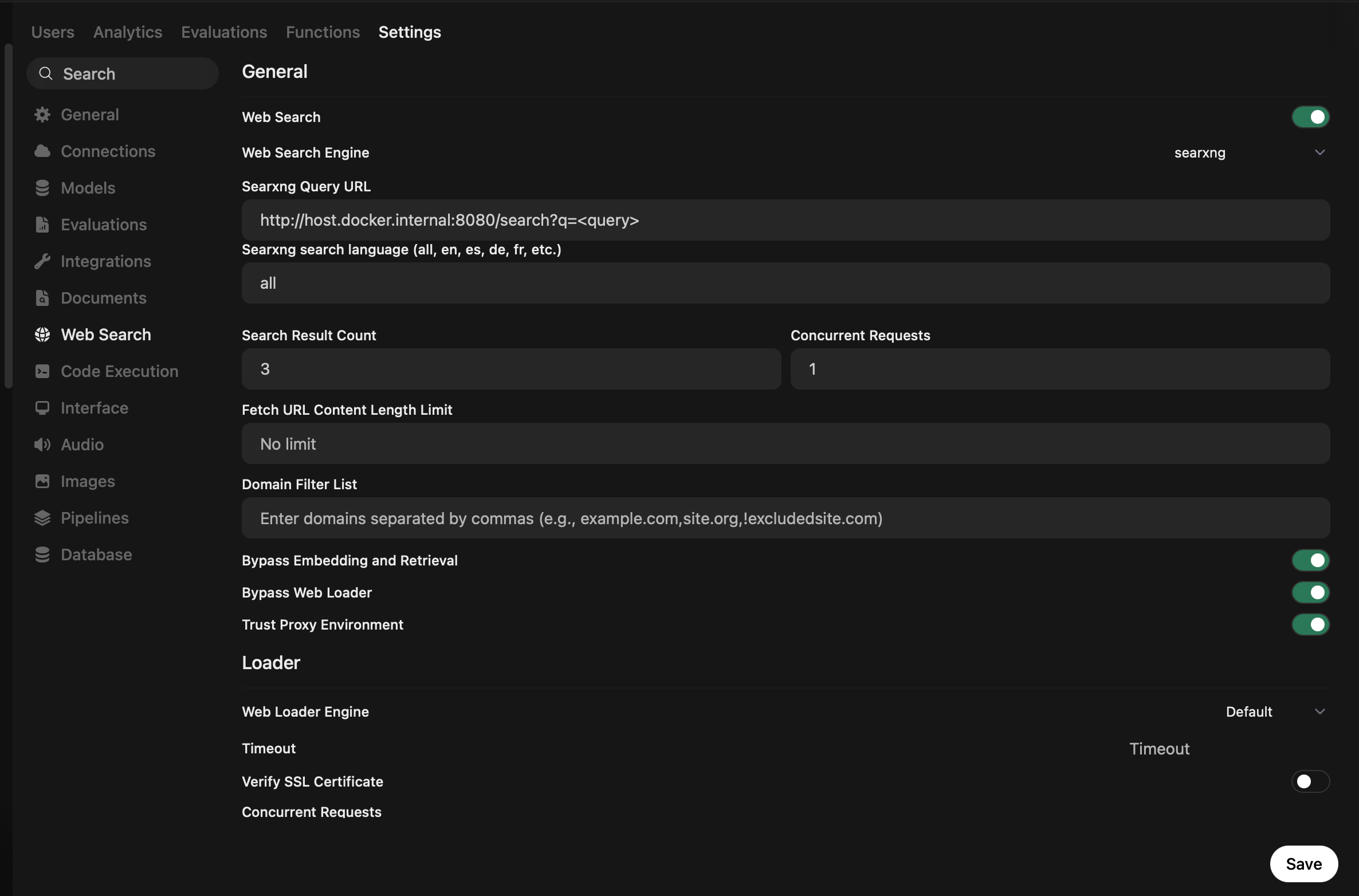
Performance Optimization:
- Memory Management: For 4GB VRAM hardware, ensure you are utilizing 4-bit quantization and efficient KV caching (
OLLAMA_KV_CACHE_TYPE=q4_0) to prevent system spillover. - Networking: Using
host.docker.internalprovides a stable, robust networking bridge between your Docker containers and your host machine’s services.
Prompt used to get started on Google Gemini (copy-friendly):
Act as a Senior AI Infrastructure Engineer. Guide me through setting up a self-hosted AI research gateway on a Linux laptop with 4GB of VRAM.

Specifically:
1. Provide the commands to install Ollama and Docker/Docker Compose from scratch on Ubuntu (including adding the Docker repository and setting up the NVIDIA Container Toolkit for GPU support).
2. Provide a Docker Compose configuration that orchestrates 'Open WebUI' and 'SearXNG', using 'host.docker.internal' for networking.
3. Outline the systemd configuration for Ollama to enable 'q4_0' KV caching and Flash Attention for optimal GPU utilization.
4. Explain how to configure Open WebUI's 'General Settings' to point to the local SearXNG instance, including recommended 'Search Result Count' settings for low-memory environments.
5. Recommend a lightweight model (like gemma2:2b) and provide the 'Modelfile' parameters to ensure it remains stable during high-context web-fetch operations.