Why Run AI Locally?
Ollama allows you to run Large Language Models (LLMs) directly on your desktop. While cloud solutions like ChatGPT or Gemini offer massive horsepower, they require you to send your data to external servers.
Running a local LLM provides:
- Data Sovereignty: Your prompts and data never leave your machine.
- Zero Cost: No monthly subscriptions or API usage fees.
- Offline Access: Work without an internet connection.
- Security: Ideal for analyzing sensitive documents or private codebases.
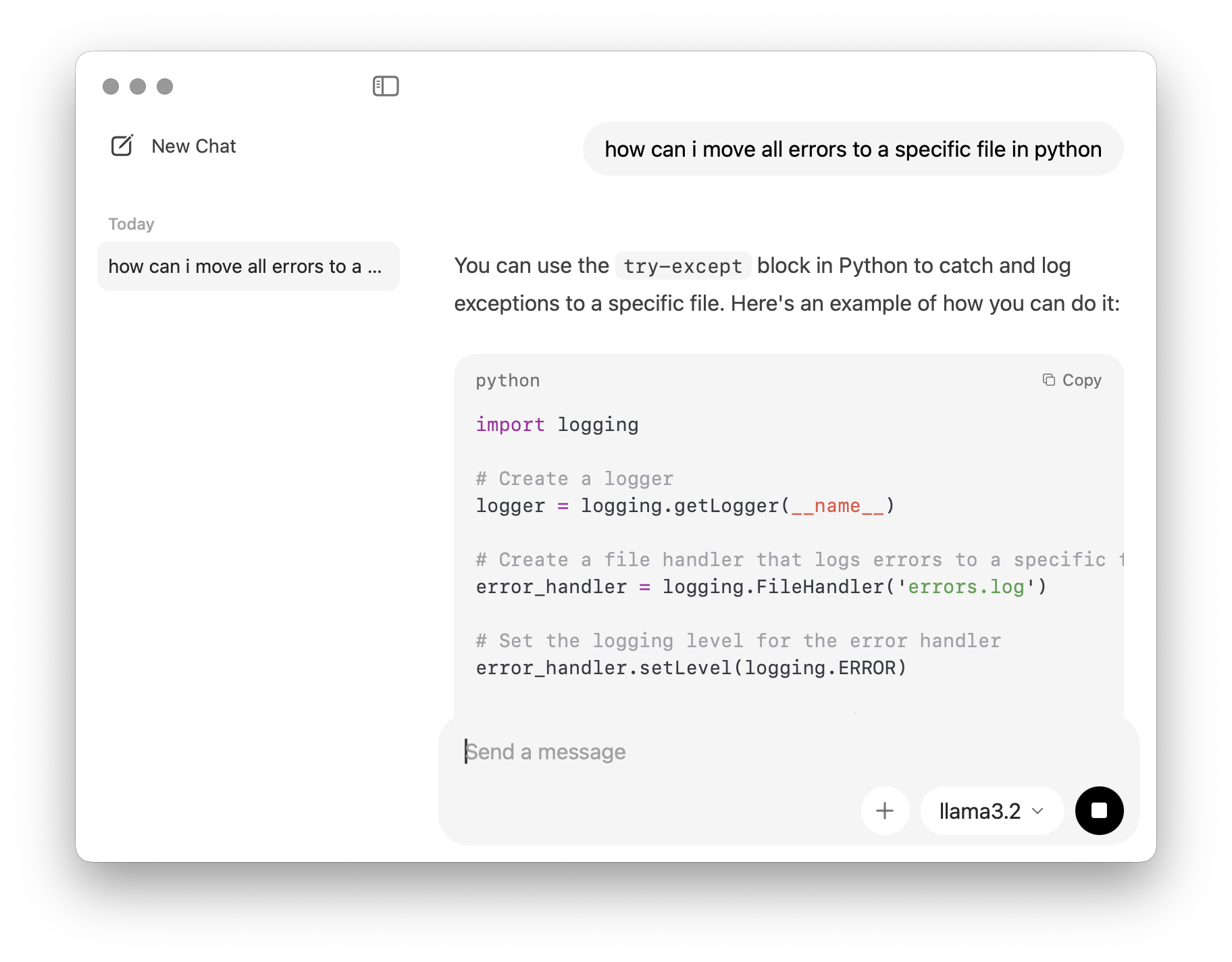
Why the M1 Mac is a Powerhouse for AI
Apple Silicon uses Unified Memory, meaning the GPU and CPU share the same high-speed RAM pool. This allows even base-model M1 Macs to run 3B and 8B parameter models with acceptable speed.
While slower than cloud-based giants, models like Llama 3.2 (3B) offer an excellent compromise between reasoning capability and local performance on macOS.
Quick Start: 3 Commands to Privacy
If you have Homebrew installed, you can be up and running in seconds:
- Install:
brew install ollama - Run:
ollama run llama3.2 - Chat: Start typing in your terminal. Use
/byeto exit.
Prompt used to get started on Google Gemini (copy-friendly):
Act as a Senior Systems Engineer and guide me through a step-by-step interactive setup of Ollama and Llama 3.2 on my M1 Mac. Please provide only one actionable step at a time, explain what each terminal command does in plain English, and wait for me to say "Next" before moving to the next stage. Start with the hardware requirements and the installation process for macOS, and include troubleshooting tips for a beginner focused on data privacy.